> For the complete documentation index, see [llms.txt](https://phoenixcoded.gitbook.io/saasable/llms.txt). Markdown versions of documentation pages are available by appending `.md` to page URLs; this page is available as [Markdown](https://phoenixcoded.gitbook.io/saasable/ui-kit-v1.1.0/development/mailerlite.md).
# MailerLite
You can use MailerLite for your email setup. SaasAble already has a working example on the "coming soon" page, which you can also utilize. You need to provide your key values in the .env file.
### Setup:
1. Mailer lite account setup
1. Please create Mailer lite account:
2. Integrate API:
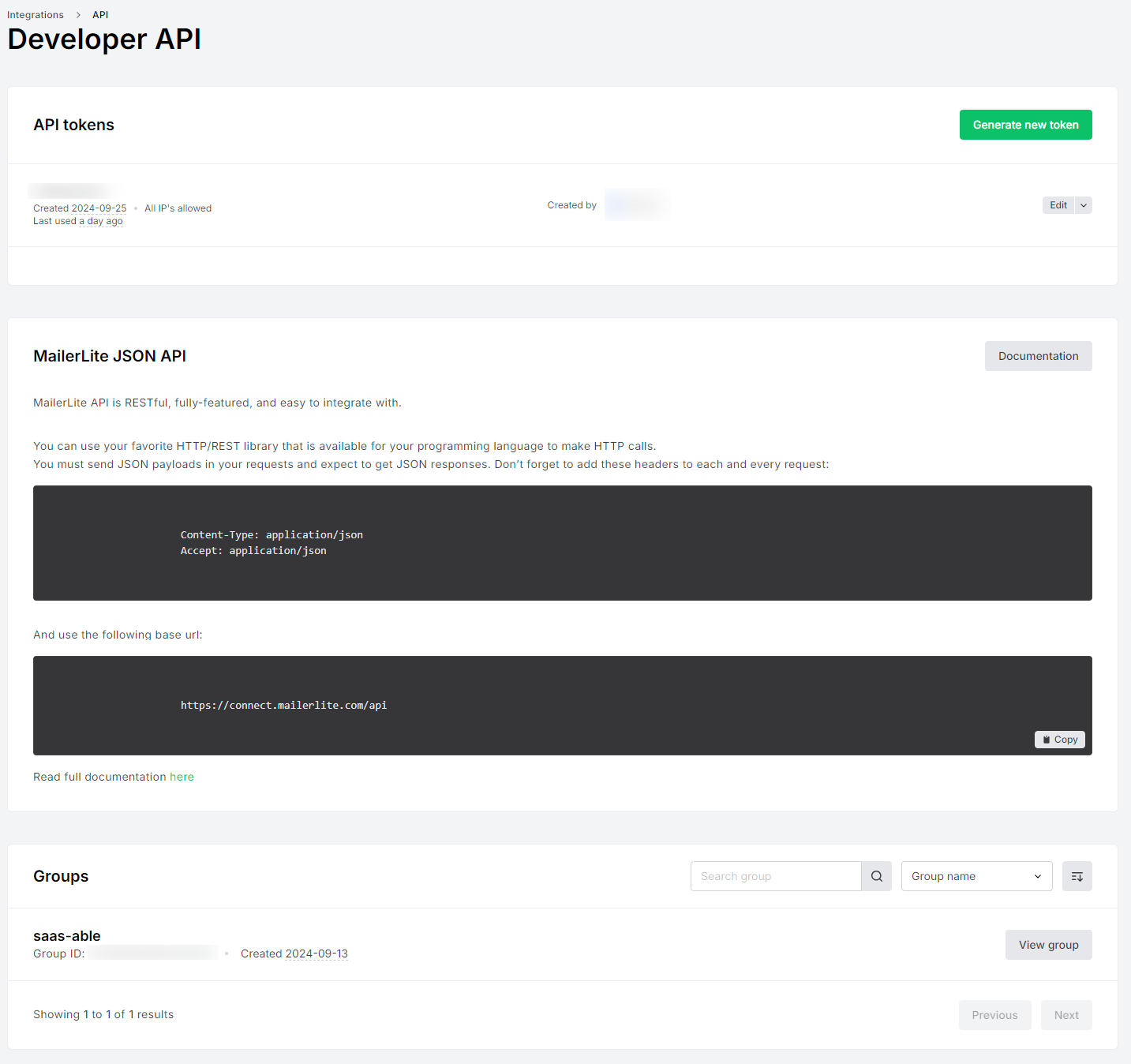
You need to get all three things from here
1. API Token
2. API URL
3. Group ID
{% hint style="info" %}
You must create a new API key and Group if those do not exist.
{% endhint %}
2. Set the values from your Mailer lite account to .env file:
{% code title=".env" %}
```
##Mailerlite
MAILERLITE_API_KEY=
MAILERLITE_API_ENDPOINT=
## Use commas to separate multiple groups (Notify all groups)
MAILERLITE_GROUP=
```
{% endcode %}
3. We have already set API to send mail in the coming soon page:
{% code title="src/blocks/ComingSoon.tsx" %}
```typescript
...
const submitHandler = async (e: SyntheticEvent) => {
e.preventDefault();
try {
const response = await axios.post('/api/subscribe', { email });
...
} catch (error) {
...
}
};
...
```
{% endcode %}