> For the complete documentation index, see [llms.txt](https://phoenixcoded.gitbook.io/saasable/llms.txt). Markdown versions of documentation pages are available by appending `.md` to page URLs; this page is available as [Markdown](https://phoenixcoded.gitbook.io/saasable/admin-v1.0.0/development/auth/supabase.md).
# Supabase
To setup Supabase in your project, first you need to [create your Supabase account](https://supabase.com/).\
Create a project and get **supabaseUrl** and **supabaseKey** for integration.
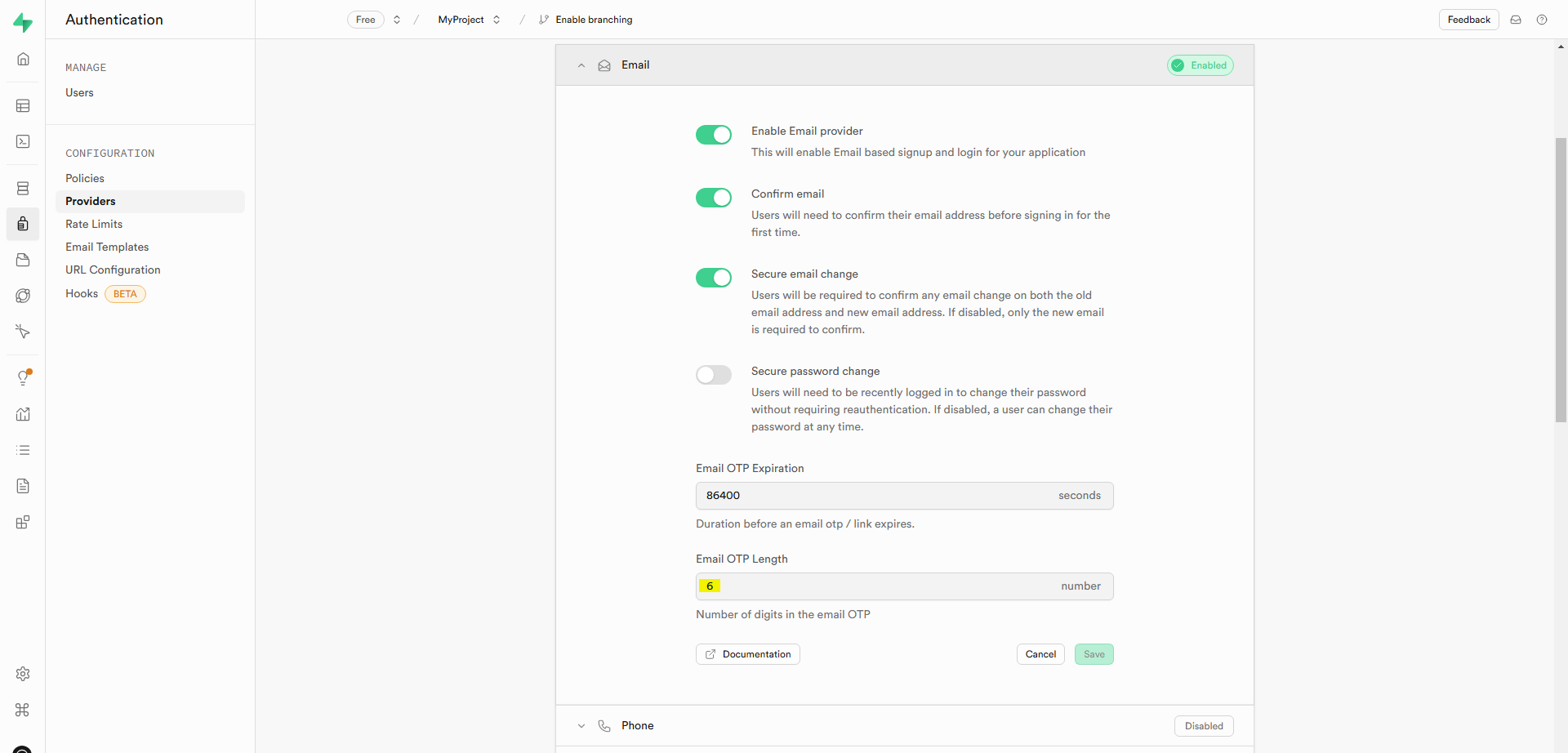
1. Make sure the email provider is enabled and configured with proper values.\
\
**Path :** Supabase => Authentication => Providers
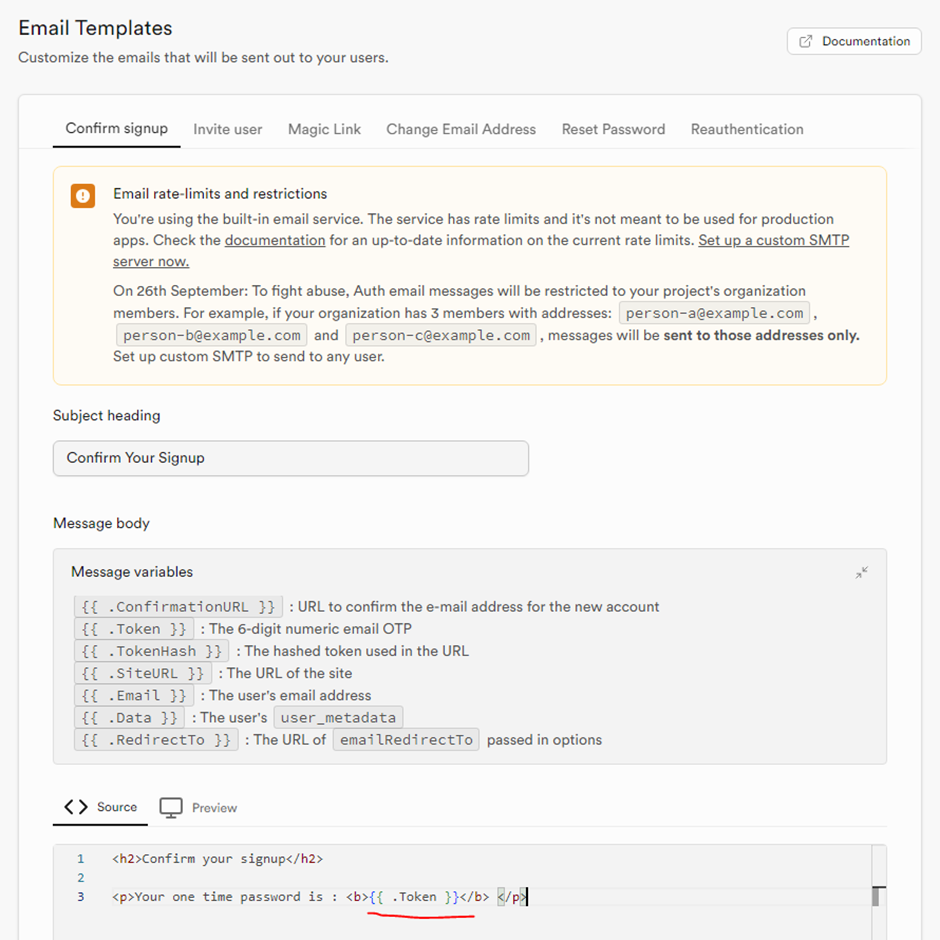
2. To send an OTP on the signup flow, you need to configure it in the Supabase email template with \
**{{ .Token }}** variable. You can also design your own email template there.\
\
**Path :** Supabase => Authentication => Email Templates
{% hint style="warning" %}
According to the new guidelines of Supabase, you need to setup your own **SMTP** server to send an email. For more information about Supabase and its integrations, view the [documentation](https://supabase.com/docs).
{% endhint %}
3. Supabase account is configured; now we will set it up in our project. To enable Supabase authentication, make the following changes:
1. Change the **auth provider** in the **config** file.
🎉 **Congrats!** Supabase is now configured in your project. 🚀 You can test it by running the project.\
\
By default, signup assigns the "**user**" role. You can customize this role in the `signUp` API of Supabase by modifying the code in `src/app/api/supabase/auth/index.ts` to fit your specific requirements.